One app, every festival
Plan your festival. Find your people.
Line-ups, set times, stages, and your day plan for the festivals you love. All in one place, all in your pocket.


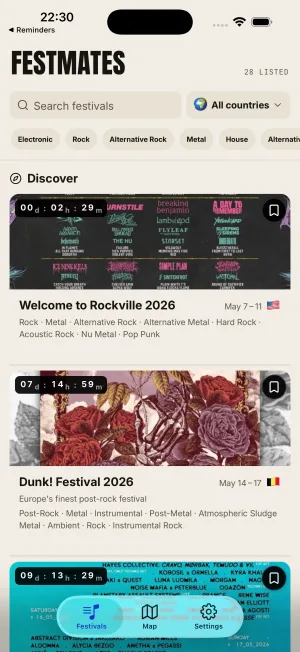
The festival weekend, organised.
Plan the line-up, find the stages, drop a pin on your tent.
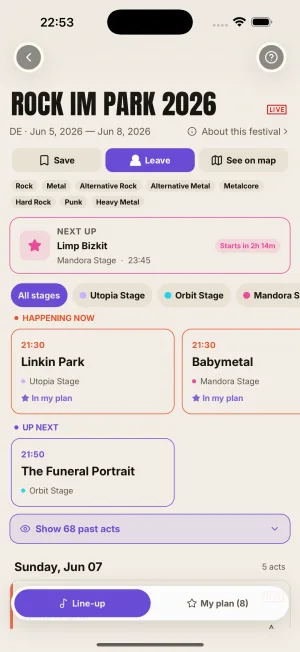
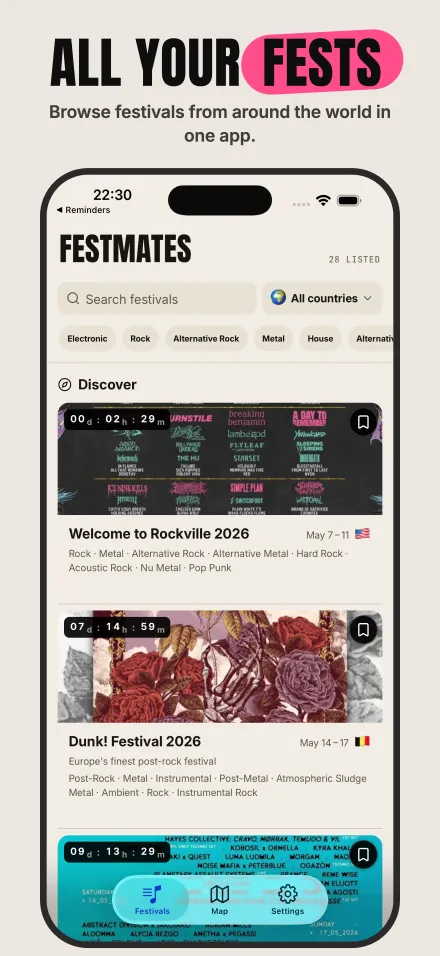
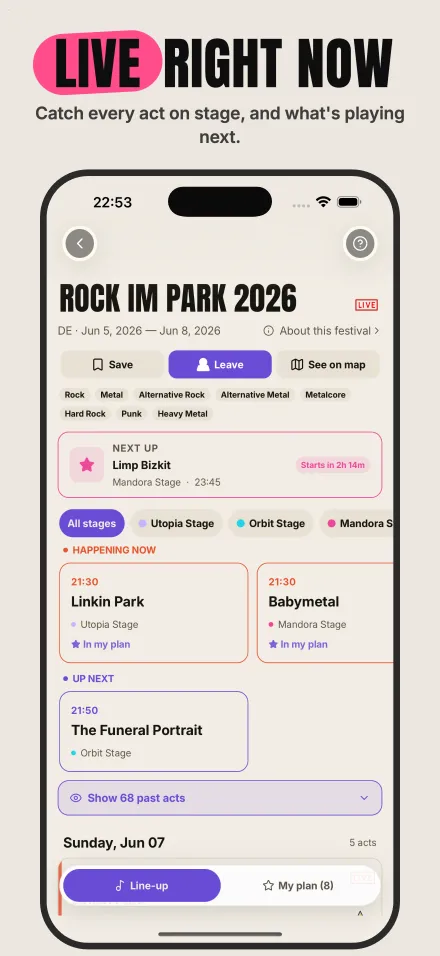
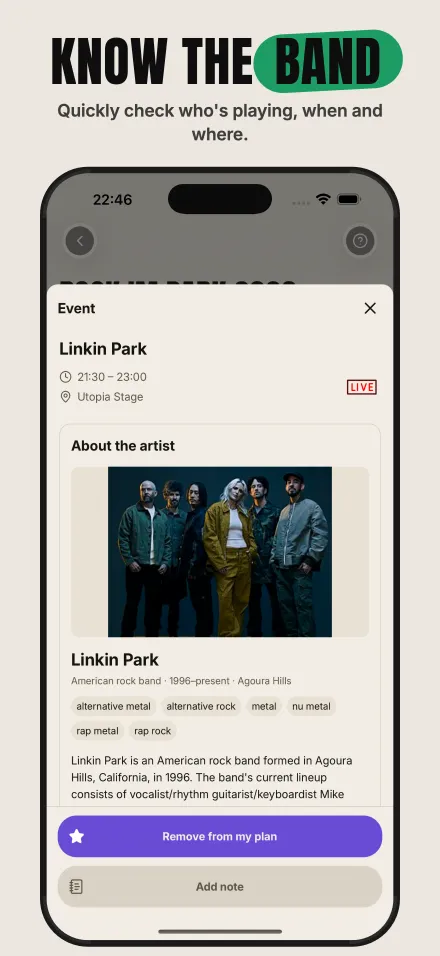
The full line-up
Every act, every stage, every time. Grouped by day, just like the poster.
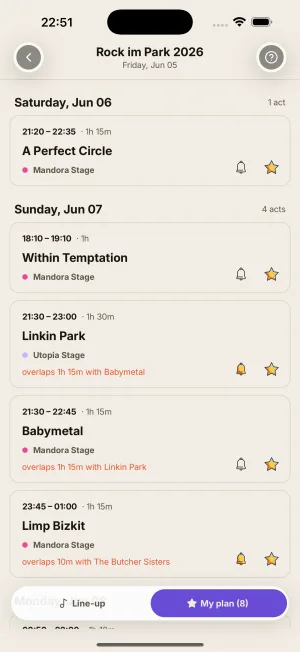
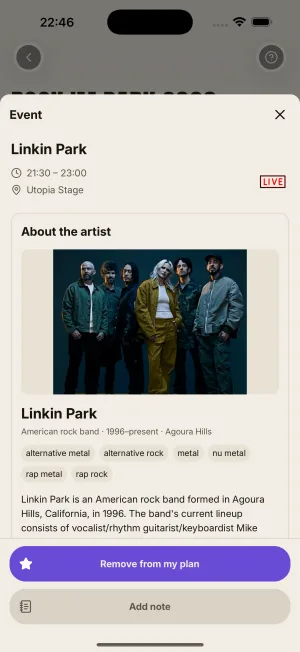
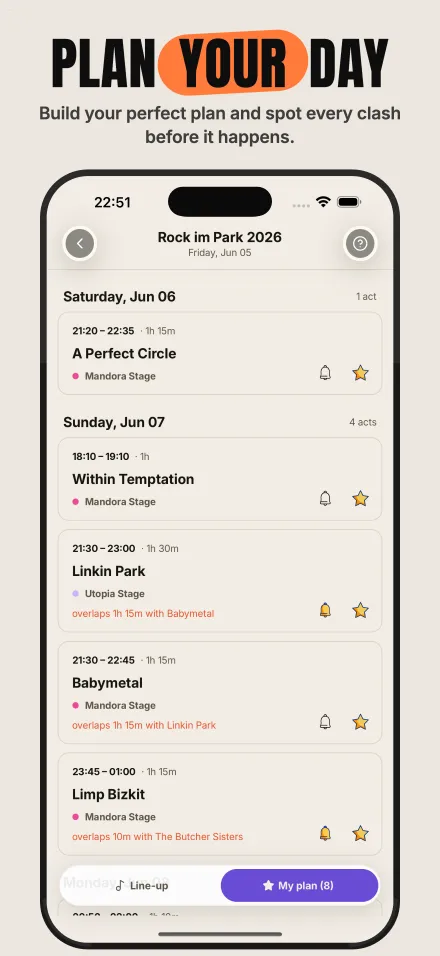
A day plan that catches clashes
Star what you want to see. Overlaps show up as a heads-up.
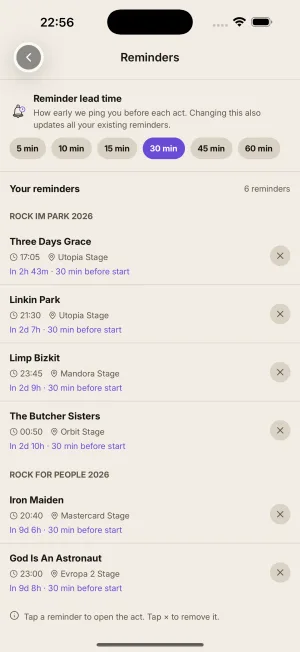
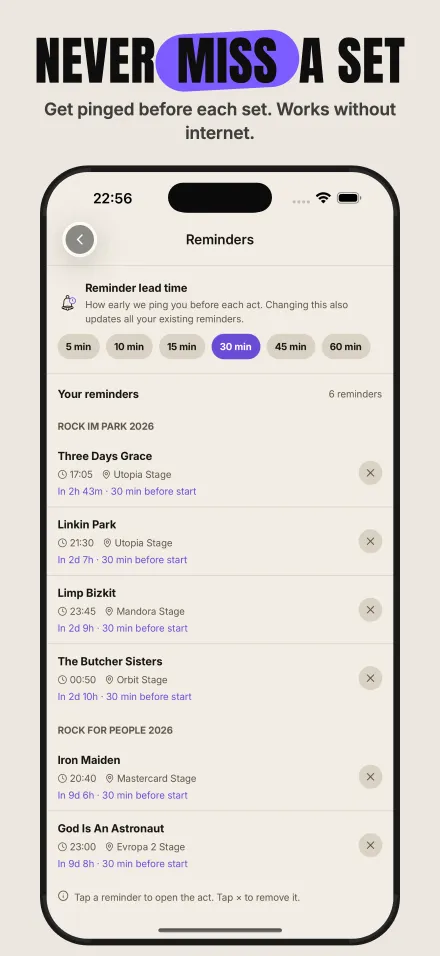
Don't miss a set
Tap the bell on the acts that matter. We'll remind you before they start.
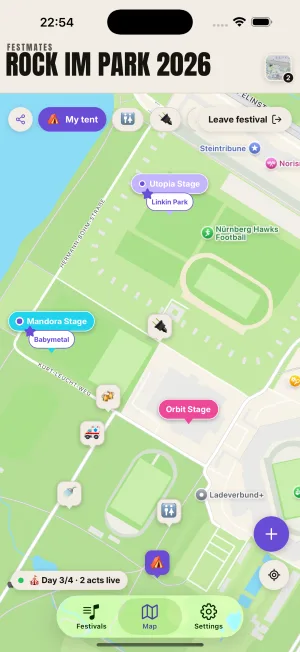
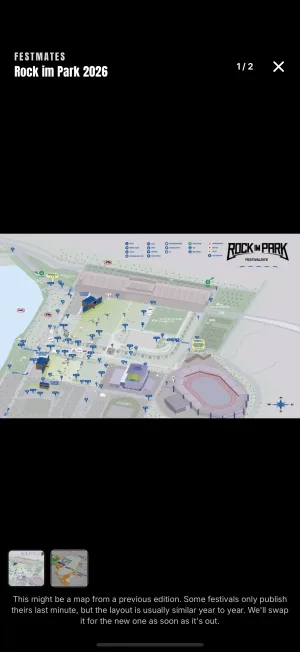
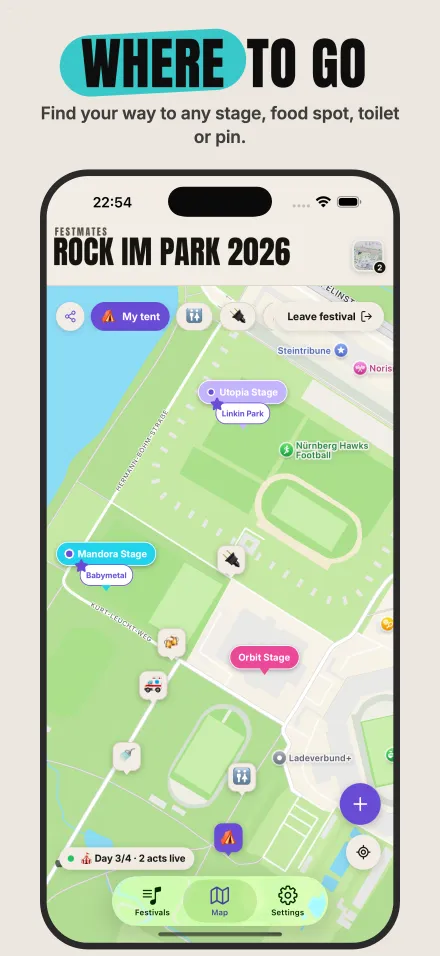
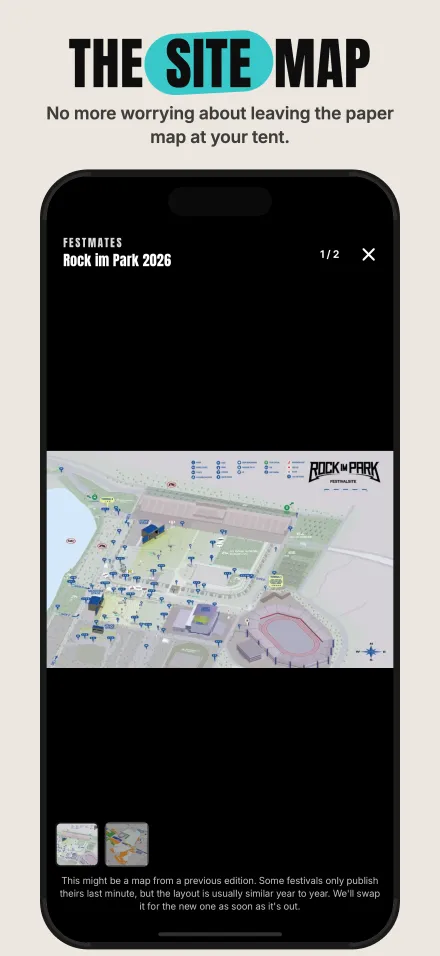
Find every stage
A live map of the whole site. Stage pins show what's playing right now.
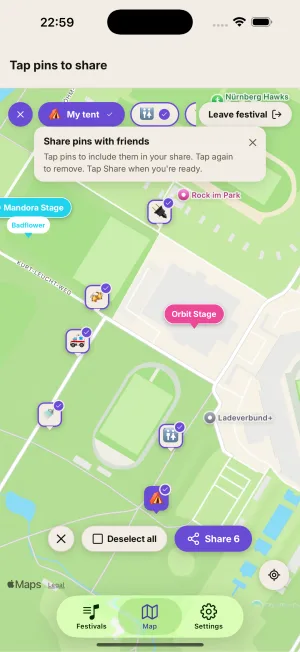
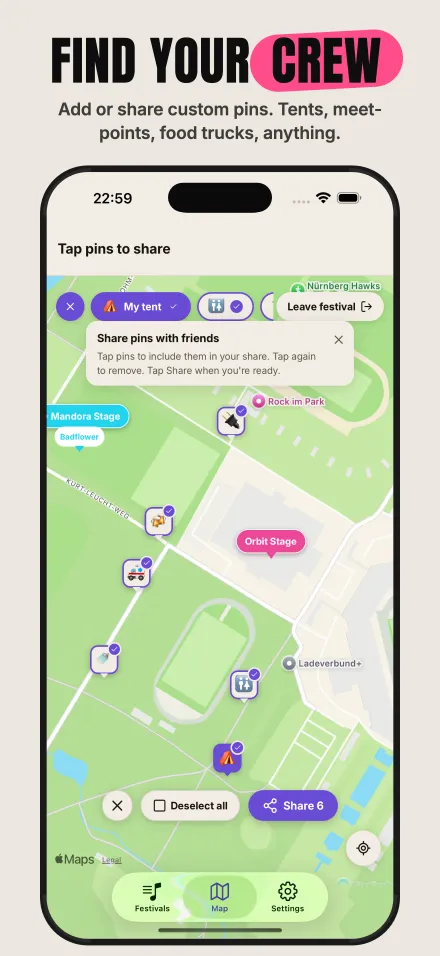
Pins for what matters
Mark your tent, your meet-up spot, your favourite food truck. Share with friends in one tap.
Festival sites have terrible signal
Once a festival is loaded, the line-up and FAQ keep working even when the signal doesn't.
See it in action.
Browse, plan, navigate and meet up — all from one app.
Common questions
Quick answers to the things people ask before installing. The full FAQ lives inside the app, with deeper how-to walkthroughs.
What is FestMates?
A pocket companion for the festivals you go to. Browse the line-up, build a day plan, set reminders, find the stages on the map, drop a pin on your tent, write a quick note when something hits, and share any of it with the friends you came with. No account, no sign-up.
How does the day plan work?
Tap the star on any act in a festival's line-up to add it to your day plan. Switch the line-up to the My Plan view to see only the acts you starred, grouped by festival day. When two starred acts overlap, FestMates flags the longer overlap on the row so you can decide which set to catch.
Will the app remind me before a set starts?
Only if you ask. Tap Remind me on an act's detail screen and you'll get a notification a few minutes before it starts. The default lead time is 15 minutes; change it once in Settings → Reminders → Reminder lead time and every reminder you've already set updates with it. Reminders work even with no signal at the festival site.
What's on the festival map?
Every stage, plus your live location and the pins you drop. Stage pins show what's playing right now and what's coming up. If the live act on a stage is one you've starred, the pin gets a star so it stands out. Drop your own pins for your tent, the meeting point, your car, anywhere worth remembering.
Can I share my plan with friends?
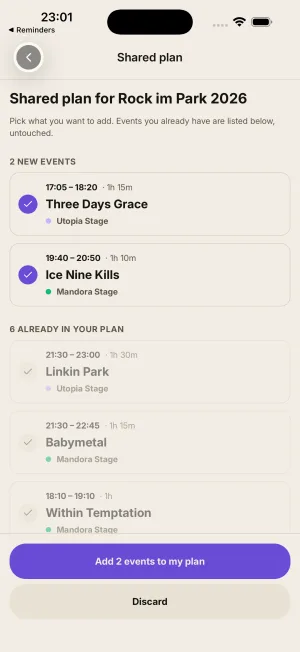
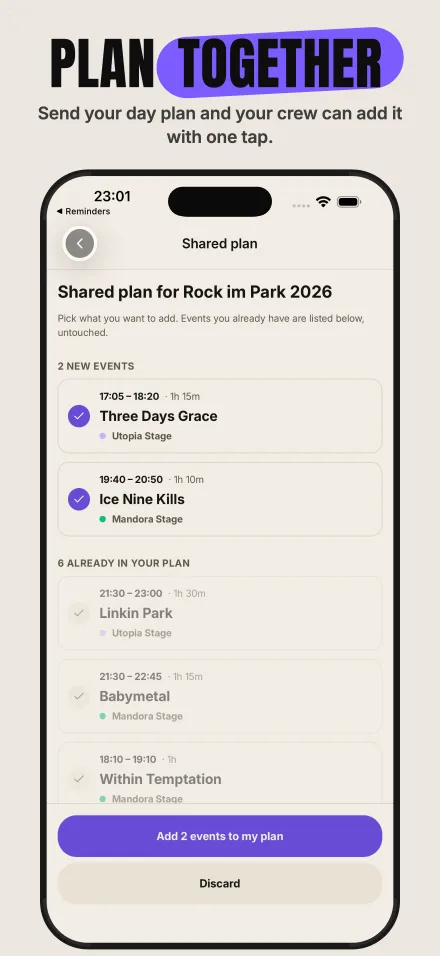
Yes. From My Plan, hit Share. The app builds a link that contains your festival picks. Send it like any other link. If your friend has FestMates, the link opens a preview and they can merge your picks into their own plan in one tap. Custom pins (your tent, the meeting tree) share the same way.
Does it work without signal?
For festivals you've saved or marked as going, yes. The app keeps the line-up, stages, your day plan, your pins, and your notes on your phone, so they all work without a connection. The map tiles underneath need a connection the first time you scroll over them. Open the festival once with a good connection before you head out.
How accurate is the line-up data?
We do our best to keep schedules current, but festival line-ups change often and our data comes from a mix of sources including organisers and public web sources. We can't guarantee every set time or stage is up to date at any given moment. Always double-check with the festival's official channels before relying on it for travel or other irrevocable decisions.
Where does my data live?
On your phone. In the current version, saved festivals, day plans, pins, and notes stay on your device unless you explicitly hit Share on something. There's no account and no profile. We collect anonymous error and usage signals to help us fix bugs and improve the app. See the Privacy Policy for the full breakdown.
How much does it cost?
The App is free to download and use, with no required payments. Optional donations are highly appreciated.
Have something else on your mind? Get in touch.